Microsoft Sign-In Loop Issue

Dec 22, 2025
 62
62
Issue:
Microsoft Sign-In Loop
Details:
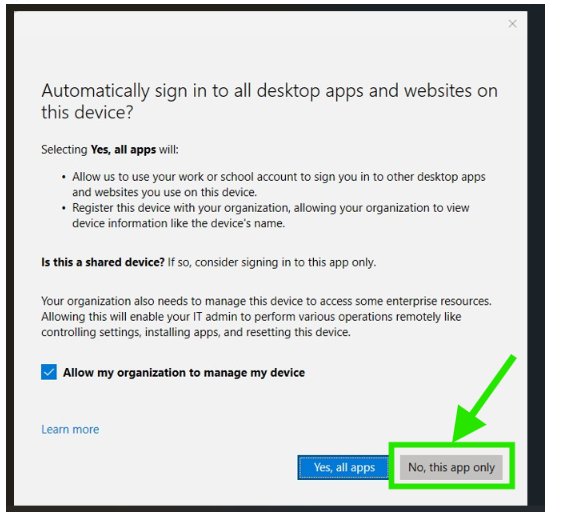
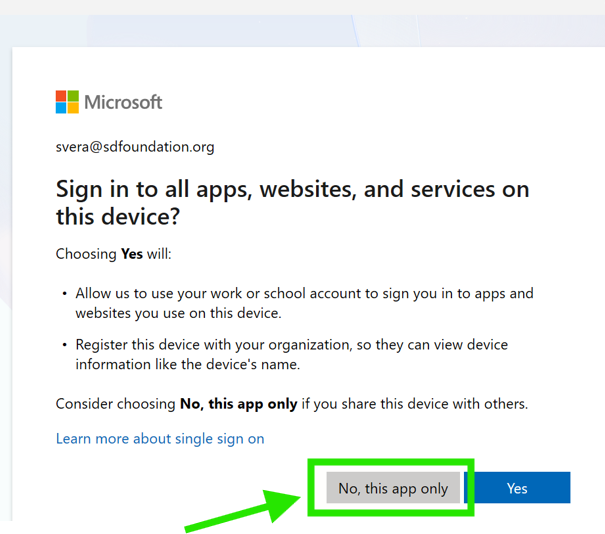
Users repeatedly receive a prompt to re-log in after entering their password, completing Duo authentication, and selecting “Yes, all apps” on the message that asks to automatically sign in to all desktop apps and websites on the device.
Resolution:
When prompted, select “No, this app only” after entering the password and approving or entering the Duo authentication code. This stops the sign-in loop and allows successful access.